Enterprise Desktop AI. Autonomous Workstation.
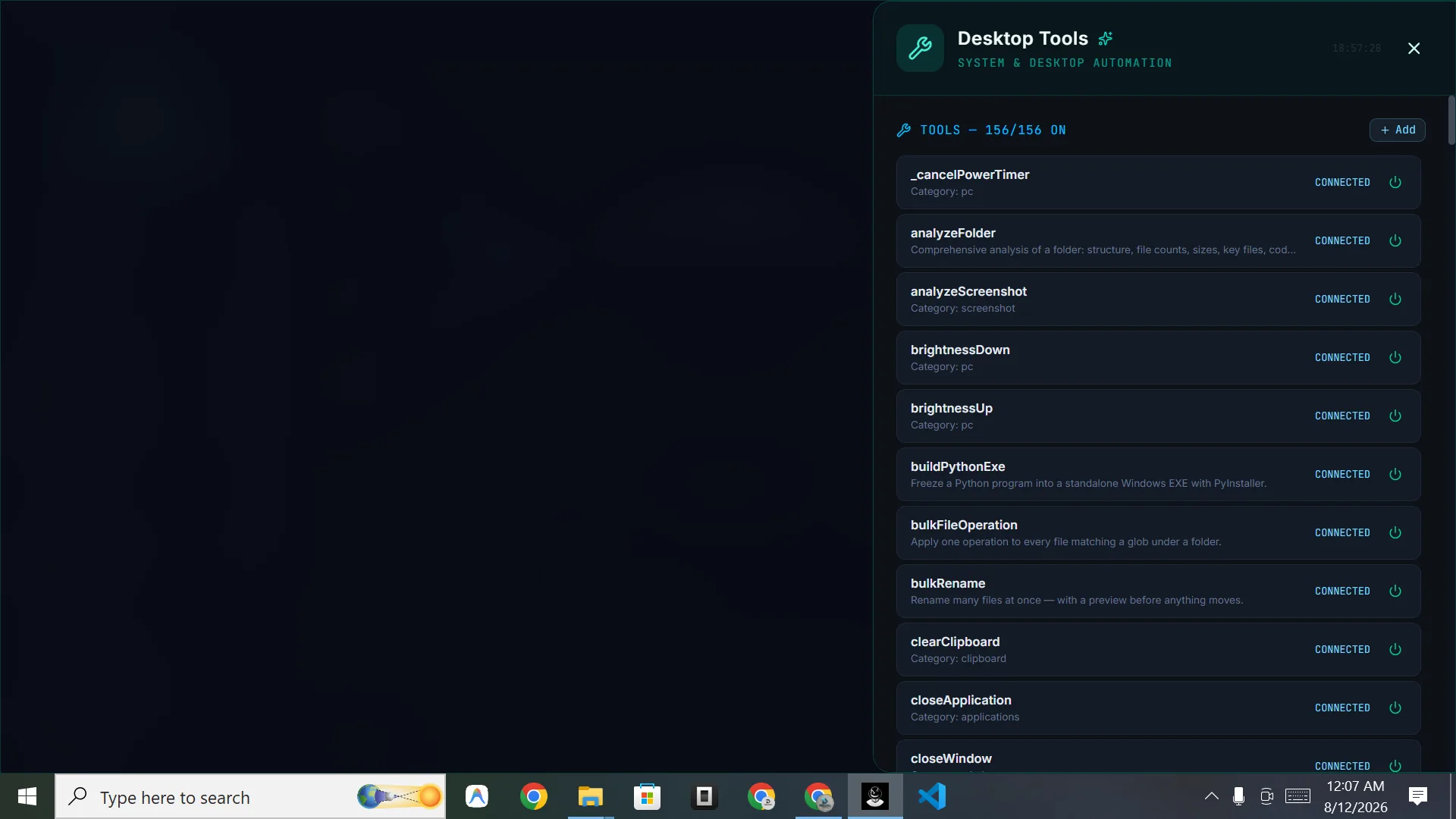
Built-in desktop automation tools. Deep operating system control. Multi-step business task execution on Windows.
Click, Type, Automate — Autonomous PC Control.
DIGI BIZ OS orchestrates autonomous agents to control visible desktop elements, manipulate spreadsheets, process local files, launch terminal tasks, and automate business operations on Windows.
104+ Bridges to Total Control.
Desktop Control
20+ handlersMouse movement, clicking, dragging, keyboard control, window focus, screen capture.
File System
15+ handlersRead, write, list directory, file picker, path validation, file watcher integration.
Process Management
8+ handlersLaunch processes, kill tasks, monitor CPU/RAM, list running applications, check system health.
Clipboard & System
7+ handlersRead/write clipboard, OS toast notifications, screen resolution, system info retrieval.
Office & Reporting
20+ actionsCreate and update spreadsheets, append rows and cells, export CSV, build Word documents, read slides and generate finished reports.
Screen Vision & OCR
12+ actionsCapture the screen, pull text out of images and scans, read documents you point at and act on what it sees.
Research & Browsing
10+ actionsOpen websites, find and switch tabs, run live web research and summarise sources into a usable brief.
Folders & Media
15+ actionsAnalyse whole folders, process document batches, rename in bulk and download or convert media straight to the right place.
The Workspace That Works While You Talk.
Screen sharing, camera, memory, skills, multi agents and tools — exactly what runs on your desktop.
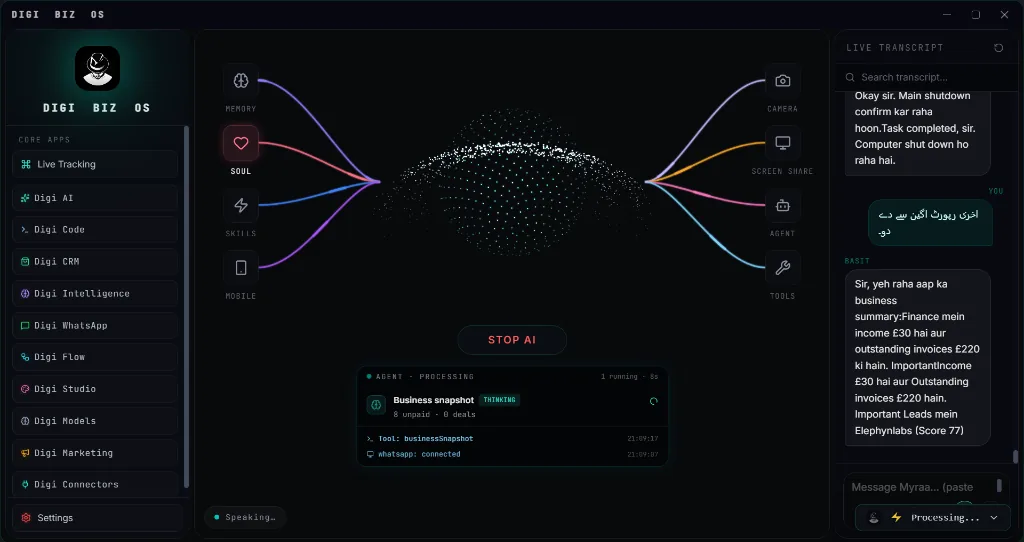
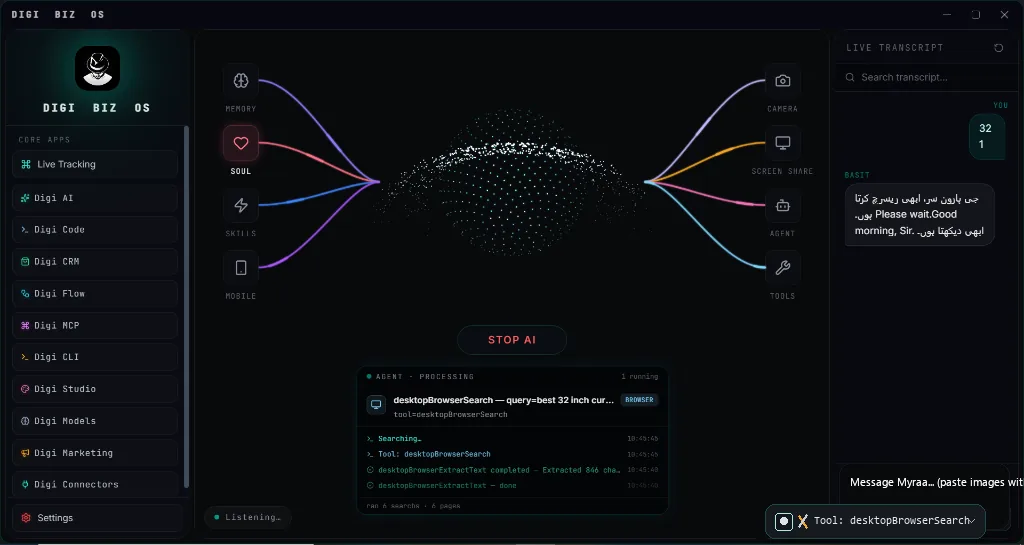
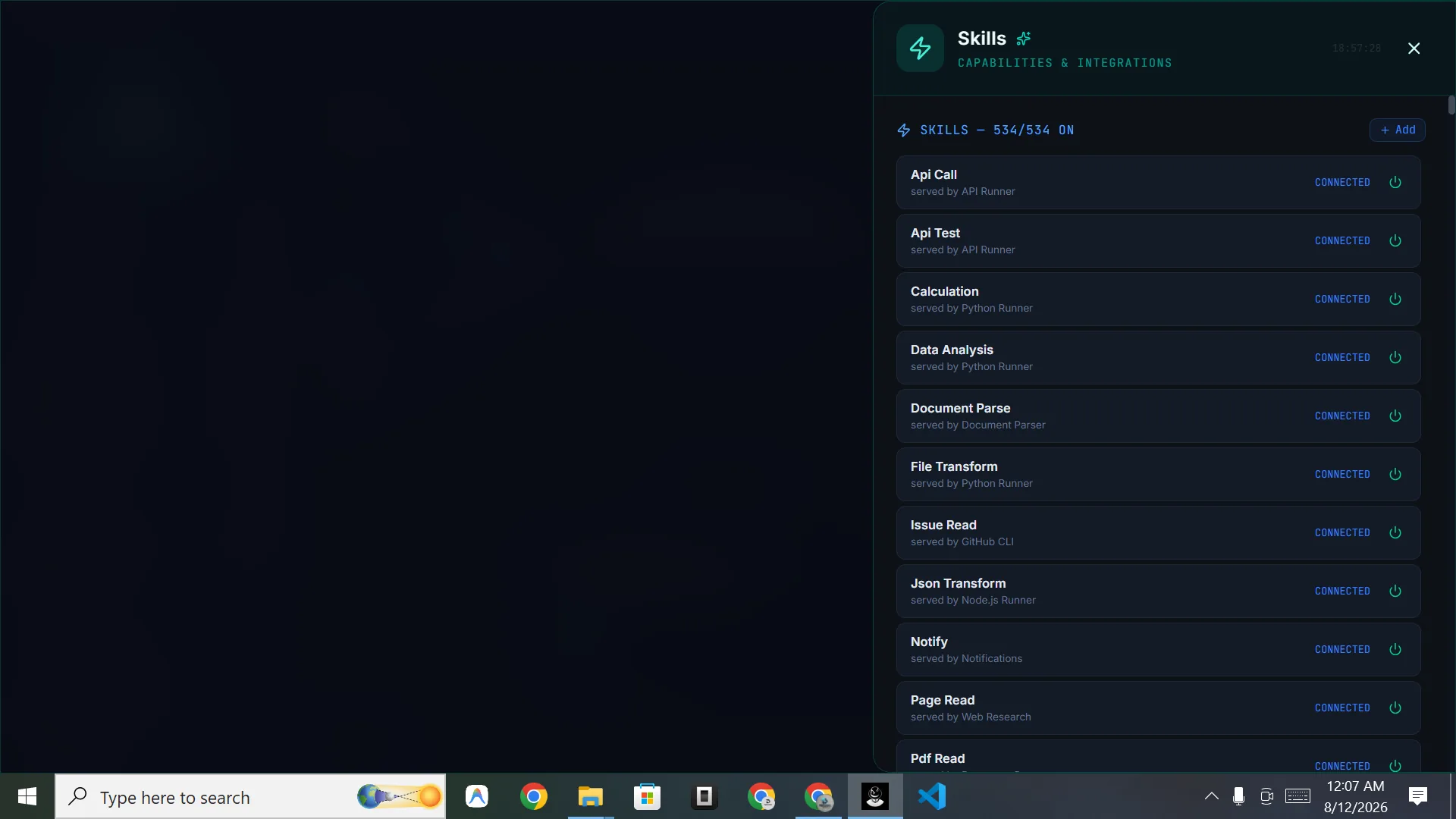
Your entire command surface in one unified desktop workspace.
11 Core Business Apps, live particle visualizer, memory, skills, soul engine, camera, screen share, and multi-agent supervisor — all in one offline-first Windows OS.
11 Core Business Applications. One Unified Desktop.
Every application your enterprise needs to operate, automate, and scale—integrated into the sovereign Windows 10 & 11 dashboard with zero monthly subscription fees.
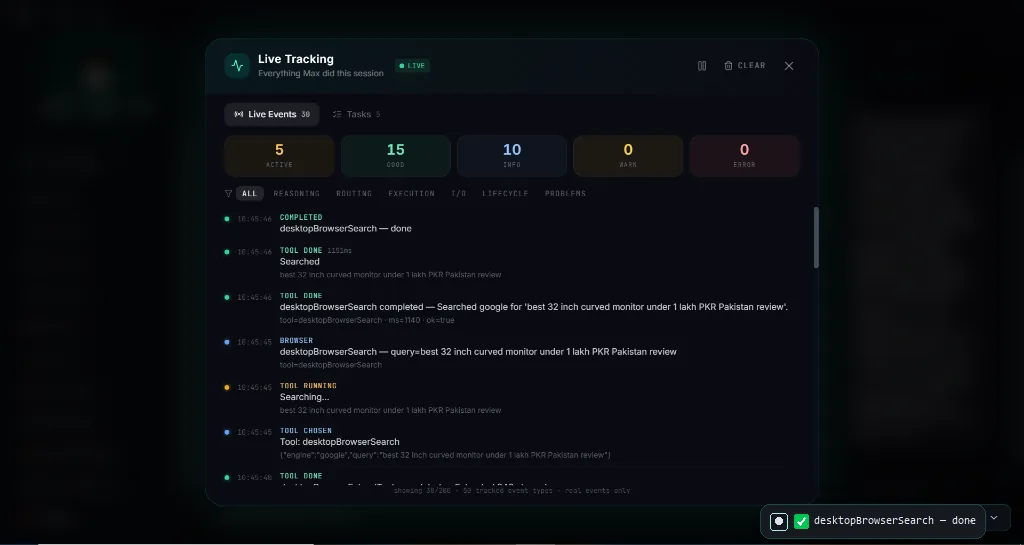
Live Tracking
Real-time forensic observability of every agent task, tool call, sub-second latency trace, error counter, and step-by-step progress monitor.
- Real-time tool execution logs
- One-click Start / Stop AI controls
- Full forensic audit trail
Digi AI
Private chat with persistent memory and local attachments, plus a dedicated photorealistic Image Generation Studio with aspect ratio controls.
- Chat + Image modes in one view
- Spreadsheet & document reasoning
- 100% private offline storage
Digi Code
Full-screen software engineering environment with AST repository reasoning, terminal self-correction, unit test runners, and Git automation.
- Full-screen embedded workspace
- Multi-file repository reasoning
- Terminal runners & auto-repair
Digi CRM
Single Knowledge Base setup auto-populates your entire business, with 1-second live dashboard, 1-click trigger actions, and multi-currency ledger.
- Single business profile configuration
- 1-click order fulfillment triggers
- Accounts P&L & All-in-One reports
Digi Intelligence
Comprehensive market command: Product Hunting, B2B Lead Intelligence, Technical SEO Audits, and AEO/GEO Generative Engine Optimization.
- Product Hunting: 20-stage Amazon & TikTok analysis
- Lead Intelligence: B2B contacts & Companies House audits
- SEO & AEO/GEO: AI Overviews & crawler optimization
Digi WhatsApp
Instant QR mobile pairing, 24/7 autonomous customer chat agent, multi-number pipelines, and automated lead follow-up routines.
- Instant QR device pairing
- 24/7 autonomous conversational desk
- Direct CRM lead sync
Digi Flow
Background business rules that run 24/7—overdue invoice chasers, low-stock reorders, and stalled deal follow-ups that automatically raise CRM tasks.
- Always-on business background rules
- Fail-safe multi-step flow runner
- Pre-built operational templates
Digi Studio
Offline video editor (CapCut alternative for vertical Reels/Shorts), talking avatar AI, multilingual voice TTS audiobooks, and batch photo studio.
- Local timeline video editor
- Photo to talking avatar videos
- Multilingual TTS & PDF audiobooks
Digi Models
Route tasks between 50+ high-speed cloud engines and sovereign 100% offline local neural models (DeepSeek, Llama) with live latency meters.
- Local GGUF / Ollama model hub
- Smart automatic latency routing
- Zero per-token billing for local
Digi Marketing
Compose once and publish or schedule across Facebook, LinkedIn, X, Telegram, Instagram, YouTube, Bluesky, and Mastodon with AI copywriting.
- 8 connected social networks
- Direct-response AI copy engine
- Visual flyer & media attachments
Digi Connectors
Connect Model Context Protocol (MCP) tool servers, webhooks, databases, and third-party APIs into a unified, hot-pluggable execution bridge.
- Universal MCP tool client
- API & webhook integration hub
- Local database connector bridge
Settings & System
Fine-grained control over local hardware allocation, GPU acceleration, audio devices, memory retention, hotkeys, and backup protocols.
- Hardware & GPU VRAM allocation
- Microphone & audio device routing
- Offline database backups & security