AI Workflow Automation Triggers, Agents, Tools, Results.
A workflow is a business process the OS can repeat perfectly. In DIGI BIZ OS a workflow chains steps together and each step can call an agent, a skill or a tool.
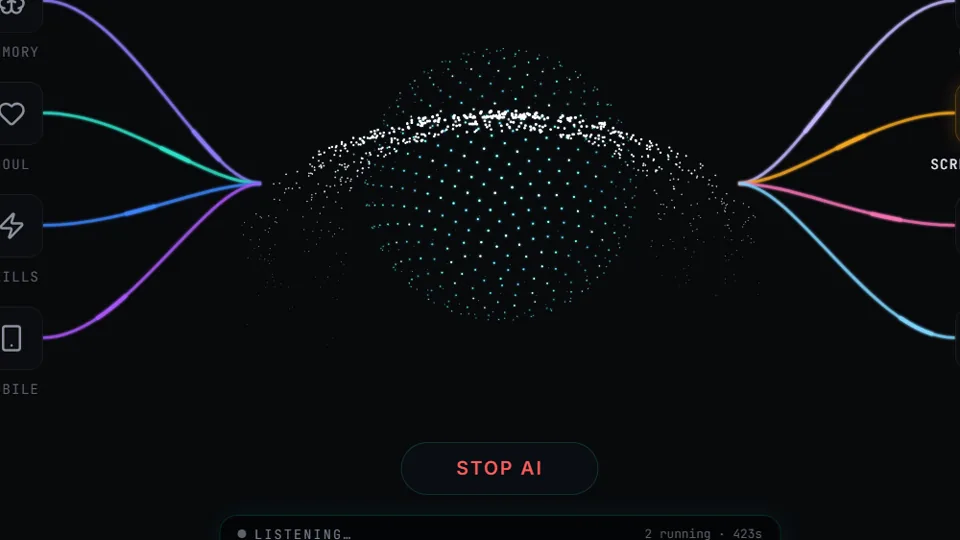
Experience Workflows In Action
Switch between capabilities below to inspect the live execution telemetry, parameter rules, and instant desktop output.
Triggers
Voice, manual or scheduled starts.
$ digi-biz-os --module="triggers" --listen
✔ Module verified: SHA256 integrity passed. Local encrypted database mounted.
⚡ Voice Assistant standby in prompt box. Neural orchestrator attached.
Native C++ / Python Core
Runs offline on your hardware without subscription tokens.
DIGI Universal Bus
Coordinates with CRM, Studio & WhatsApp pipelines.
Engineered for Sovereignty, Speed & Power
Why settle for sluggish browser tabs and monthly subscription lock-in? See what happens under the hood of DIGI BIZ OS.
$ digi run --task="autonomous-dispatch" --target="workflows"
[SYS] Loading native C++ modules... OK (12ms)
[AI-BRAIN] Reasoning pass complete: 90%+ modules connected.
[VOICE] Prompt box listening for user voice commands.
[SUCCESS] Operation completed without external network transmission.
Zero Cloud Latency & Terminal Power
Direct hardware access allows DIGI BIZ OS to manipulate local files, execute shell workflows, and coordinate database queries instantly — without waiting for cloud round-trips.
Multi-Agent Background Brain
Every task is planned by an intelligent reasoning core before a single line of code or script touches your operating system.
✔ 100% Offline native execution on your PC.
✔ No per-seat fees or recurring subscription traps.
✔ Sensitive client records never leave your local SSD.
✔ BYO wholesale AI keys or run free Ollama offline.
Direct Metal
Hardware accelerated video, AI & local database engines.
Private Disk
Zero diagnostic data or user telemetry uploaded.
Engineered for High-Consequence Work
Whether managing enterprise client ledgers, executing legal contracts, or rendering high-res media, DIGI BIZ OS operates inside a sovereign Windows desktop boundary.
How Workflows Executes On Your Machine
From voice instruction to local database write and final deliverable — with zero cloud lock-in.
Document intake: collect, OCR, rename, convert, file.
Document intake: collect, OCR, rename, convert, file.
Weekly reporting: gather, summarise, format, deliver.
Weekly reporting: gather, summarise, format, deliver.
Research digest: browse sources, extract, summarise.
Research digest: browse sources, extract, summarise.
Repository maintenance: review, refactor, document.
Repository maintenance: review, refactor, document.
Straight answers
- What is AI workflow automation?
- Automating a multi-step business process where AI decides and executes each step using tools, rather than following a rigid script.
- How are workflows triggered?
- By voice, manually, or on a schedule using cron-style jobs.
Live Software Interface: Workflows
Explore actual screenshots of the running software. Every interface below is built natively into DIGI BIZ OS with zero cloud dependency and zero monthly subscription bills.
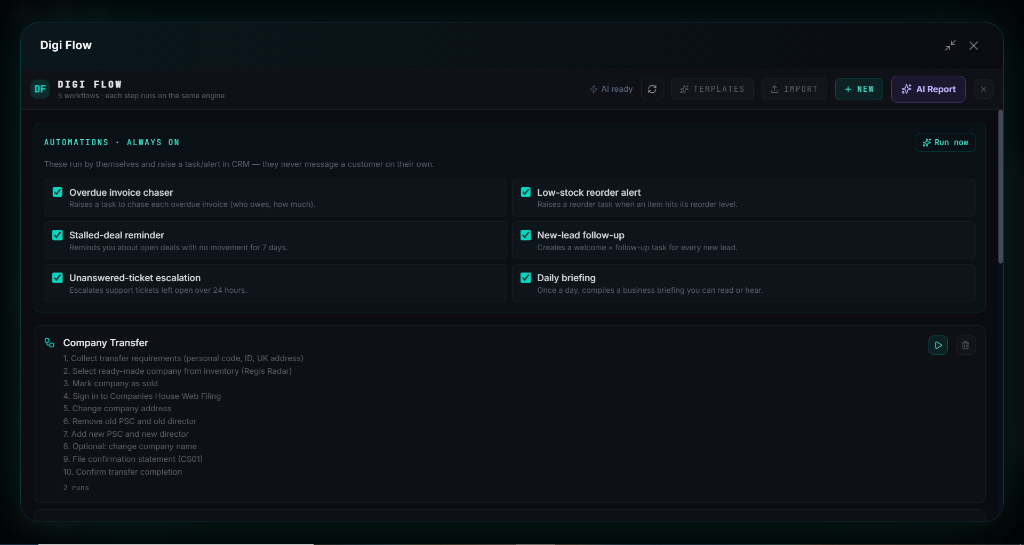
Always-On Autonomous Business Workflows
Scheduled cron routines, invoice chasers, and stock monitors
Configure visual triggers and automated multi-step actions that run 24/7 on your PC. Keep stock levels healthy, recover overdue invoices, and delegate tasks to AI subagents automatically.
Why Pay Subscriptions? Workflows Is Included 100% Free
Commercial SaaS vendors charge recurring subscriptions and per-minute rendering fees for these individual tools. With DIGI BIZ OS, every capability below runs natively on your Windows PC with 100% Free Lifetime Access.
| Market Paid Tool & Vendor | Commercial Cost | DIGI BIZ OS Native Capability | DIGI BIZ OS Price |
|---|---|---|---|
CapCut Pro & Adobe Premiere Pro ByteDance / Adobe | $20/mo ($240/yr) | Timeline Video Editor (Reels, Shorts, 4K Cuts)
| 100% Free (Included)Save +$$240/yr |
ElevenLabs Pro & Murf AI ElevenLabs / Murf | $22/mo ($264/yr) | Multilingual Voice TTS & Audiobook Factory
| 100% Free (Included)Save +$$264/yr |
HeyGen & Synthesia HeyGen / Synthesia | $29/mo ($348/yr) | AI Avatar Studio & Presenter Synthesis
| 100% Free (Included)Save +$$348/yr |
Descript Pro & Otter.ai Descript / Otter.ai | $12/mo ($144/yr) | Offline Speech-to-Text & Subtitle Generator
| 100% Free (Included)Save +$$144/yr |
Topaz Gigapixel & Photoroom Pro Topaz Labs / Photoroom | $13/mo ($156/yr) | AI Photo Studio & 4K/8K Image Upscaler
| 100% Free (Included)Save +$$156/yr |
Frequently asked
- Can workflows call other workflows?
- Workflows are composed of steps that can use agents, skills and tools; complex processes are built by chaining them.